
Quick answer
Web Archive checks help SEO teams inspect historical versions of pages, compare important changes, and understand what happened before the current version of a website existed. This is useful for competitor research, dropped domain evaluation, content history, and technical SEO investigations.
SEOMER uses snapshots, timeline views, and page comparison to show when key SEO elements changed: titles, descriptions, language, content, page structure, and availability. Instead of guessing why a site moved, disappeared, changed niche, or lost value, teams can inspect the historical evidence.
- Review historical snapshots of websites and pages.
- Compare title, description, language, content, and structure changes.
- Evaluate expired domains before buying or rebuilding them.
- Study competitor movements and content strategy over time.
What Web Archive data actually shows
Most SEO tools show the current state of a website. Web Archive data adds the missing layer: history. It lets you see how a website looked before, what content it used, which sections existed, what language was used, and whether the domain changed direction over time.
That historical context is valuable because SEO is rarely explained by one current page. Rankings, trust, indexing, and domain quality are often shaped by what happened earlier: old content, removed sections, redirects, niche changes, spam periods, or technical failures.
Important fact
A website's current page may look clean while its history tells a different story. Archive snapshots can reveal old spam content, language switches, removed pages, or niche changes that are invisible from the live site alone.
Snapshot timeline and page comparison
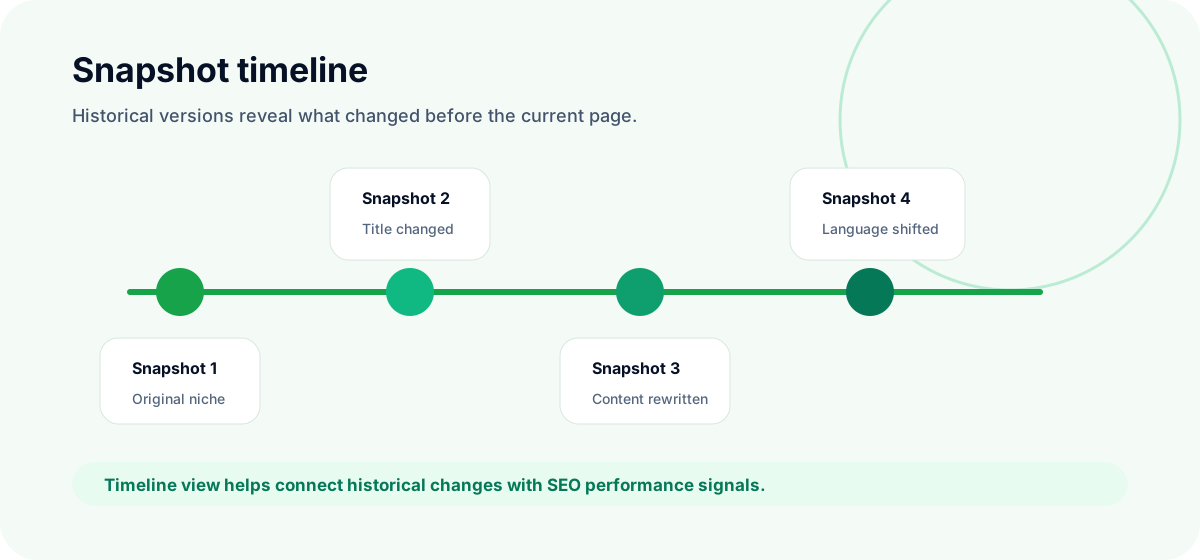
SEOMER's Web Archive module is built around historical snapshots. Each snapshot represents a saved version of a page at a specific moment in time. The timeline makes it easier to see not just that a page changed, but when meaningful changes happened.
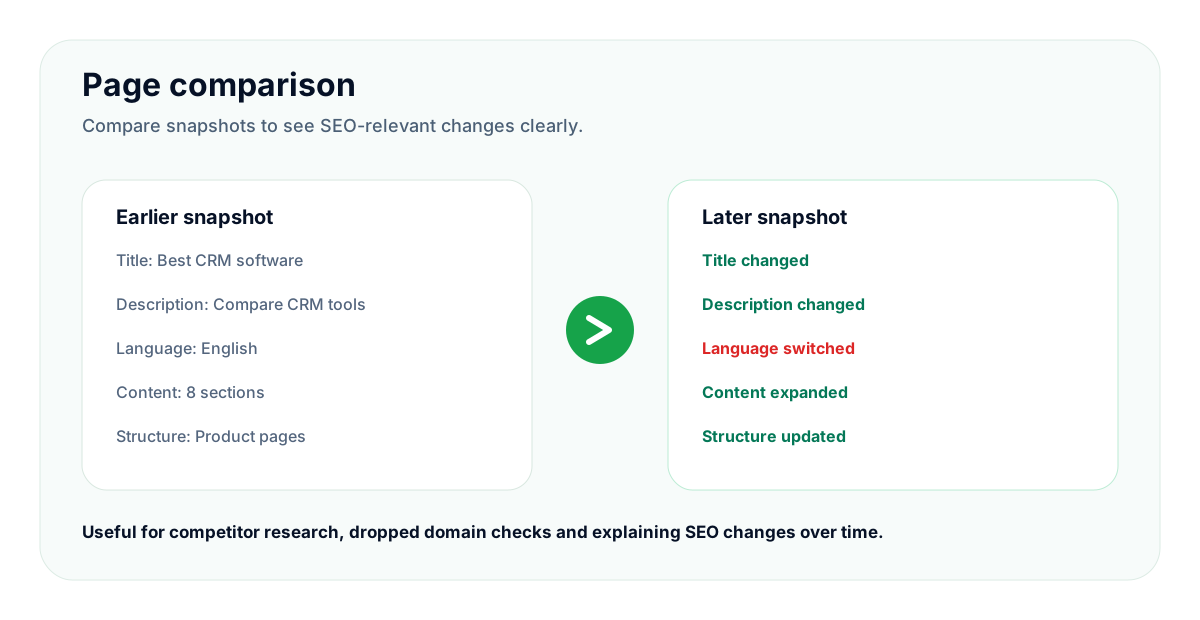
This matters for SEO because many important signals are not visible unless you compare versions. A competitor may rewrite a landing page, change the title, update internal links, remove a section, or switch the language of a page. Looking only at today's version hides the path that led there.
What the timeline can reveal
The snapshot timeline helps identify key moments across a page's history:
- when a title changed;
- when the meta description was updated;
- when content was rewritten or removed;
- when the page language changed;
- when the page disappeared or returned;
- when the page structure shifted;
- when the domain changed topic or purpose.
SEOMER tip
Do not compare snapshots only by visual design. For SEO, the strongest signals are usually title, description, headings, language, indexable content, internal links, and structural changes.
How Web Archive helps SEO analysis
Archive checks are useful when current data does not fully explain a change. If organic traffic dropped, a page stopped ranking, or a domain suddenly looks suspicious, historical versions can show what changed before the issue became visible in reports.
For example, a page may lose performance after a title rewrite. Another page may stop ranking after important content sections were removed. A domain may look valuable today, but older snapshots may show that it was used for unrelated, low-quality, or spam-heavy content.
Useful SEO questions archive data can answer
- Was this page always about the same topic?
- Did the title or description change before performance shifted?
- Was important content removed from the page?
- Did the site change language, niche, or ownership signals?
- Did a competitor add new sections before improving visibility?
Archive analysis becomes stronger when combined with other modules. A content change is more meaningful when you can compare it with Google Search Console dashboard data, SERP monitoring, crawler findings, and indexation signals.
Competitor research through history
Competitor research is not only about seeing what competitors have now. The better question is: what did they change before they grew?
Historical snapshots can reveal content strategy in motion. You can see when competitors added new landing pages, expanded topic clusters, rewrote product pages, changed navigation, or adjusted titles and descriptions. This is much more useful than copying the current version without understanding the sequence.
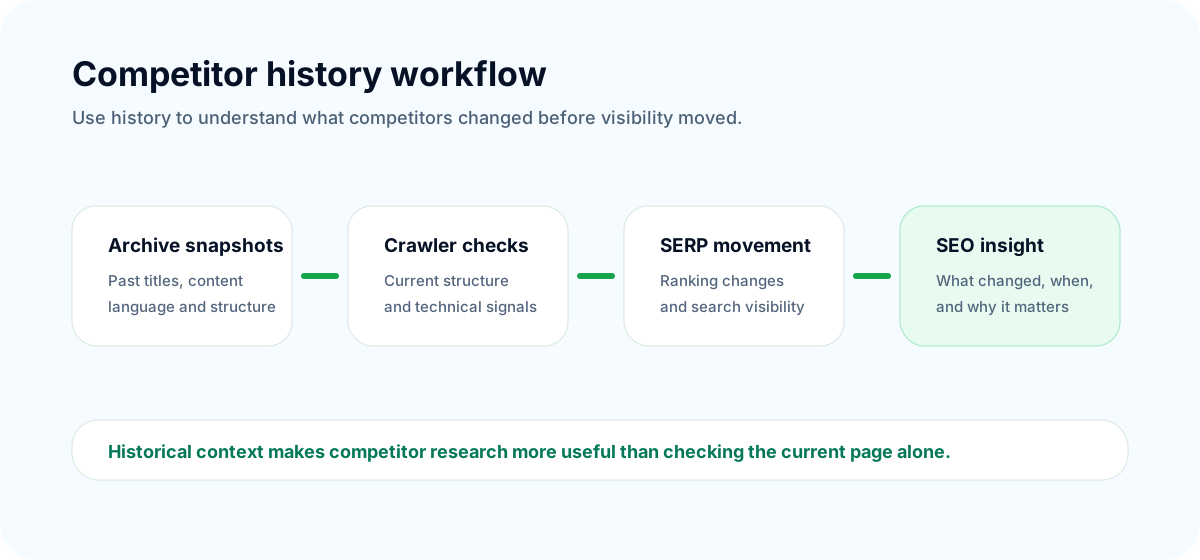
In SEOMER, historical research works especially well alongside the crawler and competitor monitoring module. The crawler can show the current structure and detected changes, while Web Archive adds historical context. Together, they help answer what changed, when it changed, and whether the change appears meaningful.
SEO impact
Competitor growth often comes from repeated small changes: new pages, better titles, richer content, stronger internal links, and improved structure. Web Archive helps expose that pattern instead of showing only the final result.
Using Web Archive for dropped domain checks
Web Archive is especially useful when evaluating expired or dropped domains. A domain can have attractive backlinks, but its history may make it risky. If the domain changed language several times, hosted spam, switched niches, or had long periods of thin content, that should be visible before you invest time or money into it.
The goal is not to find a perfect domain. The goal is to avoid obvious traps and understand what the domain was actually used for.
What to check before using a dropped domain
- Historical niche consistency: did the domain stay in one topic area?
- Language consistency: did it suddenly switch languages?
- Content quality: did snapshots show real pages or low-quality spam?
- Brand and ownership signals: did the site look legitimate?
- Structural stability: were important pages present over time?
- Suspicious changes: did it repeatedly change purpose or template?
Common mistake
Buying a dropped domain based only on backlinks is risky. Archive history can show whether those links point to a real historical project or to a domain that has been recycled, abused, or repeatedly repurposed.
How SEOMER connects archive checks with SEO workflow
Archive snapshots are most useful when they are not isolated. SEOMER connects historical checks with crawler data, SERP movement, Google Search Console signals, backlinks, and project-level monitoring.
That connected workflow helps teams move from manual inspection to evidence-based decisions. Instead of opening old screenshots one by one and trying to remember what changed, users can compare the key SEO elements and connect them with current project signals.
A practical workflow
- Use the Web Archive module to inspect historical snapshots.
- Compare title, description, language, content, and structure changes.
- Validate current technical state with the crawler.
- Check visibility movement with SERP monitoring.
- Use GSC data to understand impressions, clicks, and page behavior.
This gives a more complete picture than any single tool. Archive data explains history. Crawler data explains current structure. Search data shows performance. Together, they create context.
Best practices for Web Archive SEO research
Start with a clear question. Are you evaluating a domain, investigating a competitor, checking a traffic drop, or validating a content change? The question determines which snapshots matter.
Do not rely on one snapshot. Compare several points across time: before a visible change, during the change, and after it. This helps separate one-time noise from actual strategy shifts.
Finally, combine archive findings with live checks. Historical evidence is powerful, but it needs current context from crawling, indexing, search performance, backlinks, and SERP movement.
To connect archive checks with broader monitoring, use the SEO monitoring guide.
Historical snapshots are especially useful when combined with backlink monitoring and the broader SEO monitoring guide.
When historical domain checks are part of link research, the link monitoring guide shows how Web Archive data supports backlink monitoring and lost link decisions.
For link research, also review how to check if backlink pages are indexed before trusting a placement.
Conclusion
Web Archive checks add historical context to SEO research. They show how pages, domains, and competitors changed over time, including title updates, meta description changes, language shifts, content rewrites, structural changes, and periods when pages disappeared or returned.
For competitor research, this helps reveal strategy. For dropped domains, it helps avoid risky purchases. For SEO investigations, it helps connect past changes with present results.
The strongest setup is not archive data alone. It is archive data connected with crawler checks, SERP monitoring, Google Search Console data, backlinks, and project-level intelligence — the kind of connected workflow SEOMER is built to support.