
Quick answer
Uptime monitoring is the process of continuously checking whether a website is online, accessible, and returning the expected response. For SEO, it matters because search engines cannot reliably crawl, index, or evaluate pages when a site is down, slow, or returning server errors.
This guide explains what uptime monitoring is, how downtime affects SEO, which availability signals matter most, and how SEOMER connects uptime alerts with crawler data, Google Search Console signals, SERP tracking, log monitoring, and project-level reports.
- Detect downtime before users and search engines are heavily affected.
- Catch server errors, slow responses, and unstable availability patterns.
- Protect crawlability, indexing, organic traffic, and user trust.
What is uptime monitoring?
Uptime monitoring is a continuous check that confirms whether a website, page, or service is available to users and search engines. A monitoring system sends regular requests to selected URLs and records whether the server responds correctly, how quickly it responds, and whether failures repeat over time.
At the simplest level, uptime monitoring answers one question: is the website working right now? For SEO, that question needs more context. You also need to know which URLs failed, what status code was returned, how long the issue lasted, and whether it happened near a deployment, traffic drop, or crawl problem.
Important fact
A single short outage usually does not destroy rankings. The real risk comes from repeated downtime, long 5xx errors, slow responses, and unstable patterns that affect crawling, indexing, users, and conversion paths at the same time.
How downtime affects SEO
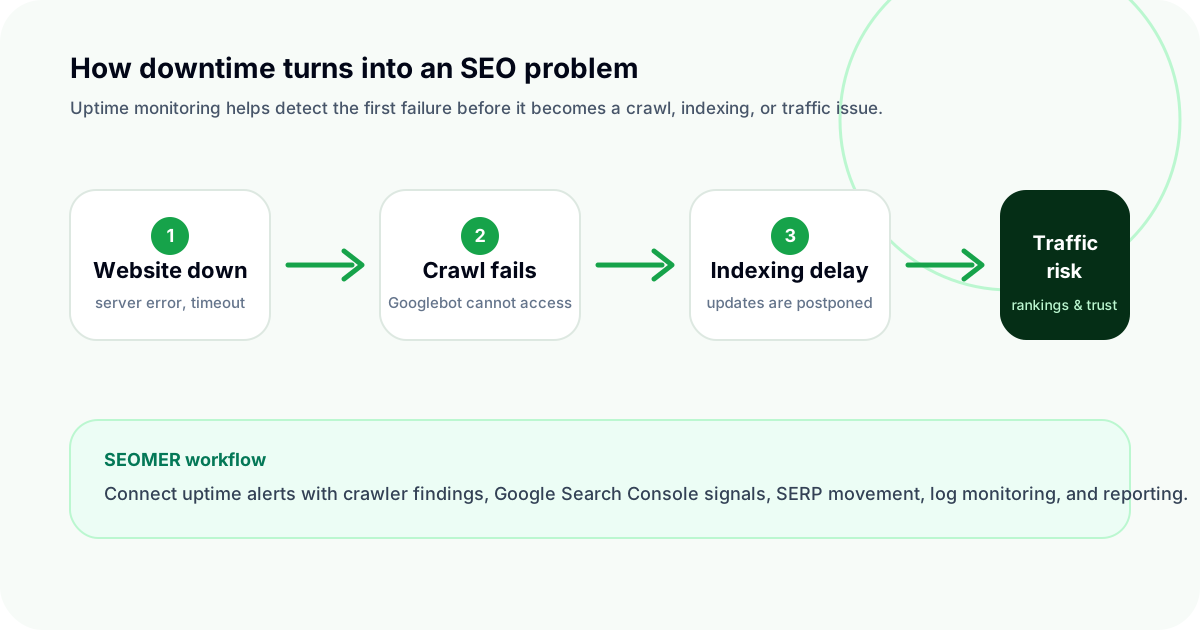
Downtime affects SEO because search engines need stable access to your pages. If Googlebot reaches a page during an outage, it may receive a server error, timeout, or fail to load the content. One failed request is rarely catastrophic. Repeated failures are different.
When outages repeat, search engines may spend less crawl effort on unreliable URLs, updated content may take longer to refresh, and technical fixes may not be discovered as quickly as expected.
Search engines may crawl less efficiently
Search engines do not have unlimited crawl resources for every site. If key pages often return errors or respond slowly, crawling can become less efficient. This can delay discovery of new content, slow down updates to existing pages, and make SEO fixes harder to validate.
For a SaaS website, marketplace, e-commerce store, or large content project, delayed crawling is not just a technical inconvenience. It can become a business problem because organic pages depend on being reachable, fresh, and consistently available.
Indexing can become delayed or inconsistent
Indexing depends on successful crawling. If a page is unavailable when search engines try to access it, indexing updates may be delayed. If this happens across important templates or landing pages, the website sends mixed reliability signals.
This is also hard to diagnose manually. A page may look fine when your team checks it during office hours, while uptime logs show several failures overnight or immediately after deployment.
SEO impact
Downtime usually hurts SEO indirectly first: failed crawls, delayed indexing, weaker user experience, lost conversions, and unclear reporting. Rankings are often the late symptom, not the first warning sign.
Users lose trust before reports show the damage
SEO is not only about bots. If a visitor clicks a search result and lands on an unavailable website, they leave. For commercial pages, that can mean lost trials, lost leads, abandoned purchases, and weaker brand trust.
The painful part is timing. Analytics may show the traffic loss later, but the user already had the bad experience. Uptime monitoring helps teams react when the problem starts, not after reports confirm the damage.
What should uptime monitoring track?
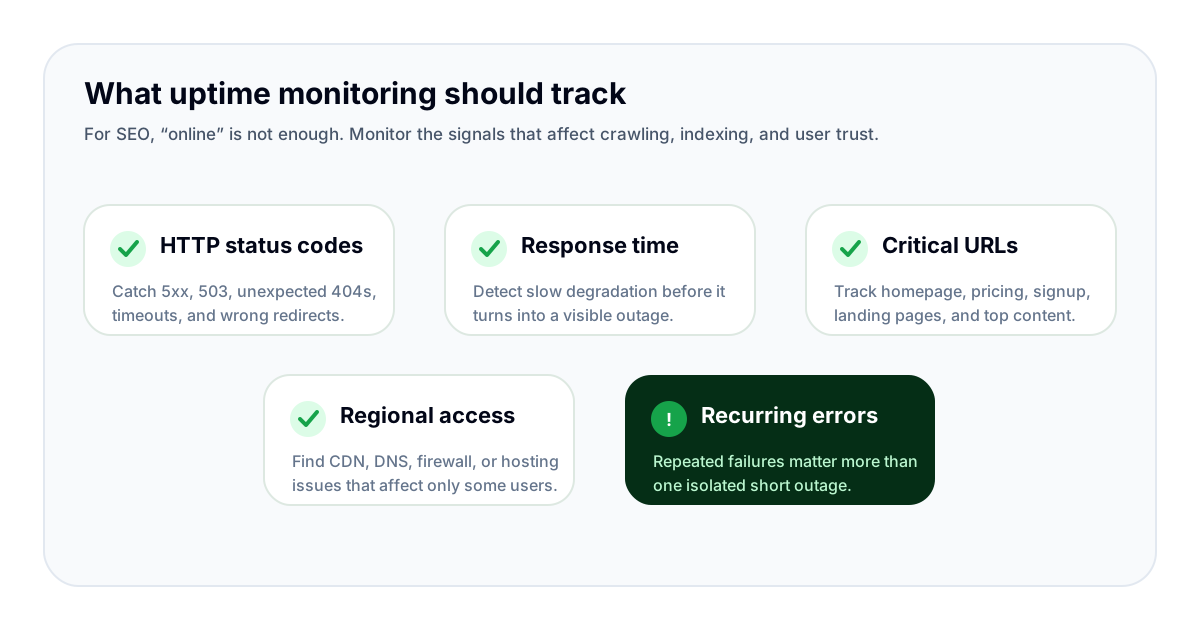
Good uptime monitoring checks more than whether the homepage loads. Your homepage can be online while pricing pages, signup flows, product URLs, blog templates, or API-backed pages fail silently.
A useful setup focuses on the URLs and signals that matter for organic search and business outcomes.
HTTP status codes
Status codes tell you what the server returned. For uptime monitoring, the key problems are unexpected 5xx errors, repeated 503 responses, timeouts, important pages returning 404, and redirects that suddenly point to the wrong place.
Response time
A website can be technically online but too slow to be useful. Slow responses hurt users and can make crawling less efficient. Monitoring response time helps detect degradation before it becomes a visible outage.
Critical URL groups
Do not monitor only the homepage. Add pricing pages, signup flows, high-value landing pages, high-traffic blog posts, product or category pages, and pages that generate leads or revenue.
For SEO teams, it is also useful to group URLs by template. That helps you understand whether a problem affects one page, one section, or the whole site.
Regional availability
A site can work from one location and fail from another. DNS issues, CDN configuration, firewall rules, and hosting problems may affect specific regions. Regional checks help avoid false confidence from testing only one location.
How SEOMER connects uptime monitoring with SEO workflow
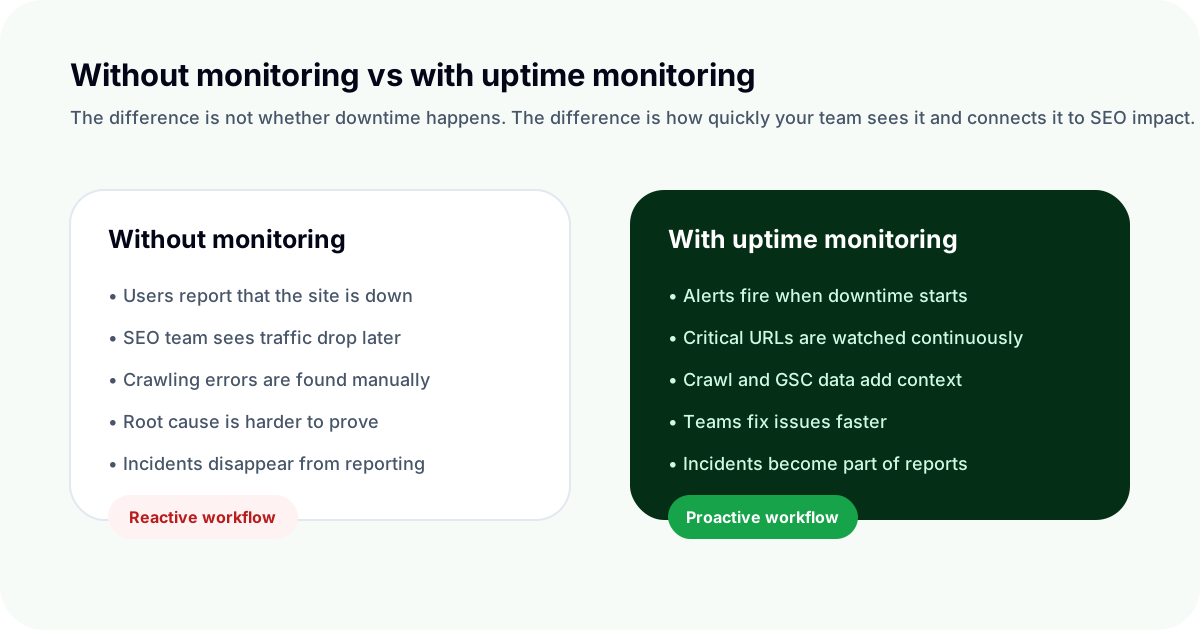
Many uptime tools tell you that a website is down. That is useful, but it is only the first layer. SEOMER is designed to connect uptime monitoring with the wider SEO workflow, so availability problems can be compared with crawler findings, Google Search Console data, SERP movement, log monitoring, alerts, and reports.
Alerts that point to action
Monitoring is only valuable if the right people know what happened quickly. SEOMER helps turn availability signals into alerts, so teams can react when a critical page goes down, a server starts returning errors, or a response pattern becomes unstable.
The goal is not to create noise. The goal is to show what changed, where it changed, and why it matters.
Availability plus crawl context
If uptime monitoring shows repeated errors and the crawler also finds broken internal links, redirect problems, or blocked pages, the issue becomes easier to prioritize. You are no longer looking at isolated metrics. You are looking at connected evidence.
For example, a drop in Google Search Console impressions becomes more meaningful when it appears near a period of downtime, slower responses, or crawl errors.
SEOMER tip
Use uptime monitoring as an early warning layer, then validate the issue with crawl data, GSC performance, SERP tracking, and logs. This turns “something broke” into a clear technical SEO investigation.
Uptime monitoring checklist
Use this checklist to build a practical uptime monitoring setup that supports SEO, not just infrastructure health.
- Monitor the homepage, pricing page, signup flow, and important organic landing pages.
- Track expected HTTP status codes and alert on 5xx, repeated 503, timeouts, and unexpected 404s.
- Watch response time, not only binary uptime.
- Group important URLs by page type or template.
- Use regional checks if your audience is international.
- Connect uptime incidents with crawler data, GSC changes, SERP movement, logs, and reports.
Common mistakes
The most common mistake is monitoring only the homepage. A website can look healthy from the front door while important templates fail deeper inside the site.
Another mistake is sending every small fluctuation as a critical alert. That creates alert fatigue. A better setup separates critical downtime from warnings, slow responses, and informational events.
The third mistake is treating uptime data as separate from SEO. If availability data is disconnected from crawling, indexing, and search performance, it becomes harder to understand whether downtime actually affected organic growth.
Common mistake
Monitoring without context creates more dashboards, not better decisions. The useful question is not only “was the site down?” but “which URLs failed, when did it happen, what changed around it, and did search performance move?”
For a broader workflow, see the SEO monitoring guide and connect uptime checks with crawler data, GSC metrics and alerts.
Uptime checks are also part of a broader website monitoring strategy. When availability problems appear, log monitoring analysis helps explain what happened on the server side.
Conclusion
Uptime monitoring is a basic SEO safety layer. It protects the ability of search engines to crawl your website, helps users reach your pages reliably, and gives teams early warning when availability problems start to appear.
For websites that depend on organic search, uptime is not just infrastructure. It is part of search performance, technical SEO, and user trust.
The strongest setup connects uptime monitoring with crawler data, Google Search Console, SERP tracking, logs, alerts, and reports — exactly the kind of connected workflow SEOMER is built to support.