
Quick answer
Log monitoring helps teams understand how bots, users, servers, and suspicious traffic interact with a website. For technical SEO, logs show which pages Googlebot and other crawlers actually visit. For security and reliability, logs help detect brute-force attempts, fake bots, abnormal requests, server errors, and suspicious activity.
SEOMER treats log monitoring as two connected layers: a security and uptime-like layer that watches for harmful or unstable activity, and an SEO log analysis layer that shows how search bots, AI crawlers, and users move through the site. Together, these signals help teams make better technical SEO decisions, react faster to problems, and understand what is really happening on the server.
- Security log monitoring helps detect attacks, fake bots, suspicious IPs, and abnormal request patterns.
- SEO log monitoring helps analyze Googlebot, AI bots, crawl frequency, crawl paths, and page-level bot activity.
- Log data can be compared with crawling, indexation, SERP, and Google Search Console signals.
- Teams can turn log findings into actions: block bad traffic, improve crawl paths, fix errors, or prioritize important pages.
Why log monitoring matters
Most SEO tools show what they can observe from the outside. A crawler can scan pages. Search Console can show delayed search data. SERP monitoring can track rankings. But server logs show something different: what actually happened on the server.
That makes log monitoring extremely useful for technical SEO decisions. Logs can reveal whether Googlebot reached an important page, how often it came back, which status code it received, and whether the crawl path makes sense.
They also show activity that normal SEO tools may miss: brute-force attempts, suspicious IP addresses, fake crawlers, repeated 404 requests, 5xx spikes, and abnormal traffic patterns.
SEO impact
If a page looks fine in the browser but Googlebot rarely visits it, receives errors, or wastes crawl activity on weak URLs, the SEO problem may be visible only in logs.
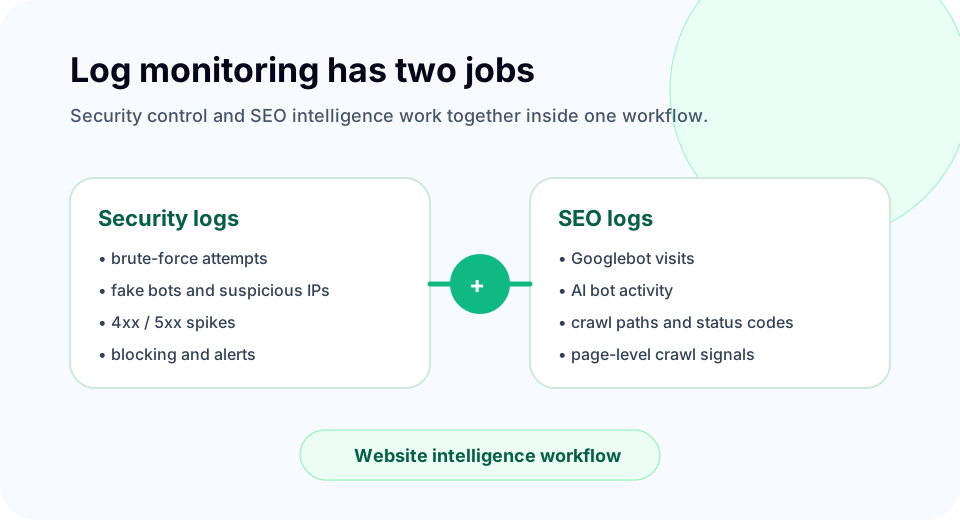
Two layers of log monitoring
Log monitoring should not be treated as one generic feature. In practice, teams need two different views.
The first view is operational and security-focused. It watches server behavior, request patterns, suspicious activity, errors, and possible attacks. This layer works almost like uptime monitoring, but instead of only checking whether the website responds, it observes what is happening inside the request stream.
The second view is SEO-focused. It analyzes how search bots and AI crawlers interact with the website, which pages they visit, how often they return, and whether crawl activity aligns with pages that actually matter for search visibility.
Security and uptime-style log monitoring
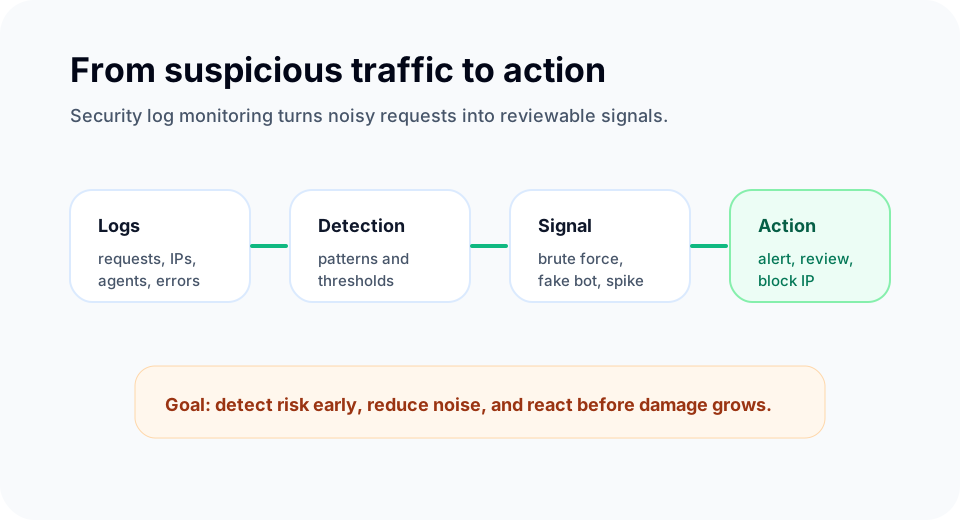
Security log monitoring is about early detection. SEOMER can monitor log signals regularly, for example every five minutes depending on the setup and plan, to surface abnormal patterns before they become bigger problems.
This layer can help detect:
- brute-force attempts and repeated login probes;
- suspicious IP addresses or request bursts;
- fake bots pretending to be legitimate crawlers;
- abnormal 3xx, 4xx, and 5xx patterns;
- unexpected request chains or scanning behavior;
- technical incidents that may affect availability or crawlability.
For owners and team leads, this means log monitoring is not just a developer tool. It becomes a website control layer. If something starts behaving strangely, the system can help identify it quickly and support action: review the IP, block abusive traffic, investigate an error pattern, or check whether a deployment introduced instability.
Common mistake
Many teams look at logs only after something breaks. The better workflow is continuous monitoring, where suspicious patterns are detected before they create traffic, SEO, or security damage.
SEO log monitoring
The SEO side of log monitoring answers a different set of questions. Instead of asking only whether the site is safe or stable, it asks how search engines and important bots actually interact with the website.
Useful questions include:
- Does Googlebot visit important pages?
- How often does it come back?
- Does it receive 200, 3xx, 4xx, or 5xx responses?
- Which pages receive bot attention but no user attention?
- Which pages users visit but bots ignore?
- Are AI crawlers visiting content that should be visible to them?
- Is crawl activity being wasted on thin, duplicate, or broken URLs?
This is powerful because it moves SEO from assumption to observation. A page may be linked internally and available in a crawler report, but logs show whether the bot actually reached it.
Googlebot, AI bots, and fake bots
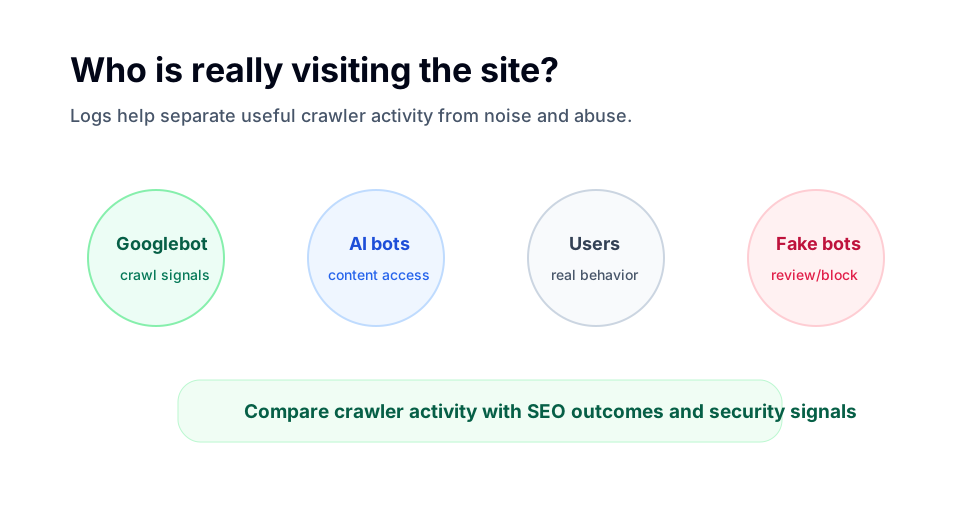
Modern websites are visited not only by users and Googlebot. They are also visited by AI crawlers, SEO tools, monitoring services, scrapers, and fake bots pretending to be legitimate agents.
SEOMER can help separate meaningful bot activity from noise. That matters because different bot types require different decisions.
Googlebot activity can support crawl analysis and indexation decisions. AI bot activity can help understand how large language model crawlers interact with content. Suspicious or fake bot activity can be reviewed from a security perspective and blocked when needed.
SEOMER tip
Bot activity becomes much more useful when it is compared with crawler data, Google Search Console data, SERP monitoring, and indexation signals. Logs show the visit. Other modules help explain the result.
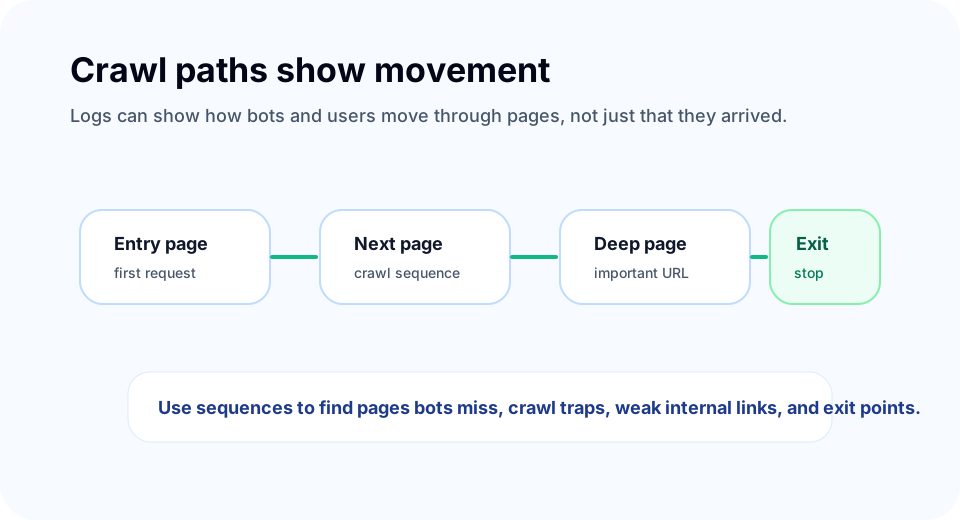
Crawl paths and page sequences
Logs can also show movement through the website. That includes which page was visited first, which page was requested next, where the session continued, and where it stopped.
For human users, this can help reveal common paths and exit points. For bots, it can reveal crawl sequences and weak internal discovery patterns.
For example, if Googlebot repeatedly enters a section but never reaches important deeper pages, the issue may be internal linking, crawl depth, blocked resources, or poor site structure. If users visit a page but bots rarely do, the page may need stronger internal links or clearer discovery signals.
When log paths are combined with the crawler, SEOMER can help compare theoretical structure with real request behavior.
How SEOMER connects log data
Log data is useful by itself, but it becomes much stronger when connected with other website signals.
A 5xx spike in logs can be compared with uptime incidents. Googlebot visits can be compared with crawl reports and indexation checks. Bot visits to a page can be compared with GSC impressions and SERP movement. Suspicious traffic can be connected with alerts and security actions.
This creates a practical workflow:
- logs detect real server-side activity;
- crawler data explains page structure and accessibility;
- GSC shows delayed search performance signals;
- SERP monitoring shows real ranking movement;
- alerts notify the team when something needs attention;
- reports turn the findings into understandable next steps.
That is why log monitoring should not sit in a separate corner of the product. It should be part of the same website intelligence workflow as uptime monitoring, crawling, GSC, SERP, security, and reports.
Best practices
Start by separating security questions from SEO questions. Security monitoring should focus on suspicious activity, errors, and possible blocking decisions. SEO log analysis should focus on bot access, crawl frequency, status codes, page importance, and crawl paths.
Monitor important pages, not only the homepage. Revenue pages, landing pages, product pages, category pages, and SEO landing pages often matter more than the root URL.
Compare bot behavior with human behavior. If users visit a page but Googlebot does not, the page may have discovery problems. If Googlebot spends too much time on low-value URLs, crawl budget may be wasted.
Finally, connect log findings with actions. A log report should help teams decide whether to block an IP, fix a server error, improve internal links, update robots rules, review redirects, or investigate why an important page is not being crawled.
To see how logs connect with alerts, uptime and GSC data, continue with the SEO monitoring guide.
Log data becomes more useful when it is connected to a wider SEO monitoring workflow. It also supports technical monitoring by showing where bots, users and errors actually appear.
If Googlebot spends too much time on low-value URLs, the crawl budget guide shows how to connect log analysis with crawler data.
Conclusion
Log monitoring supports technical SEO because it shows the real interaction between a website, search bots, AI crawlers, users, and suspicious traffic.
For security, it helps detect attacks, fake bots, abnormal requests, and unstable server behavior. For SEO, it helps reveal Googlebot activity, crawl paths, page-level bot visits, errors, and gaps between what people see and what crawlers actually request.
SEOMER combines these two layers into one workflow. It monitors logs as a technical control system and uses SEO log analysis to help teams understand crawl behavior, prioritize fixes, and make better decisions.