
Quick answer
Smart alerts help teams react to real website, SEO, security, and monitoring problems without turning every small signal into noise. The goal is not to send more notifications. The goal is to send the right alert, to the right person, through the right channel, with enough context to act quickly.
In SEOMER, alerts are part of the wider website intelligence workflow. They can be triggered by uptime incidents, crawler findings, Google Search Console changes, SERP movement, backlink issues, log/security events, competitor changes, and reporting rules. Alerts can appear inside the platform bell, email, Slack, Telegram, and other delivery channels as the workspace grows.
- Critical, warning, and info levels help separate urgent problems from useful updates.
- Alert history gives teams a searchable record of what happened and when.
- Escalation rules help ensure important problems do not stay unnoticed.
- Configurable alerts reduce manual checking and save time for owners, team leads, SEO teams, and technical specialists.
Why smart alerts matter
Website teams usually have too much to watch: uptime, logs, crawl errors, indexation, rankings, backlinks, competitor changes, search performance, security events, and report deadlines. Manually checking all of this every day is slow and unreliable.
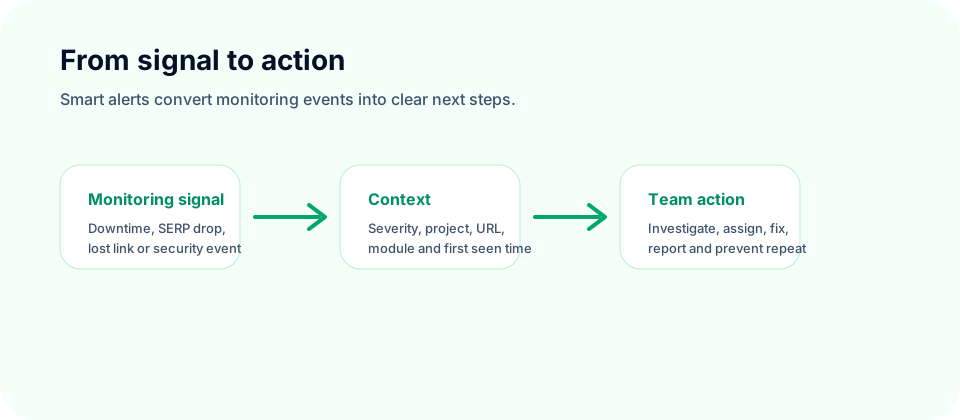
Smart alerts solve that problem by turning monitoring signals into action. Instead of opening ten dashboards, the team receives a notification when something important needs attention.
The value is simple: when everything is fine, the system stays quiet. When something critical happens, the right person knows quickly.
Operational impact
Good alerts reduce reaction time. A site outage, brute-force pattern, lost backlink, indexation problem, or ranking drop becomes visible while the team can still act, not days later in a report.
Why bad alerts become noise
More alerts do not automatically mean better control. Too many weak notifications create the opposite effect: people stop paying attention. When the real emergency happens, the alert system has already trained the team to ignore it.
Bad alerts usually fail for three reasons:
- they are not connected to real risk;
- they do not explain what happened;
- they go to the wrong person or the wrong channel.
A strong alert should answer the first questions immediately: what happened, where it happened, how serious it is, when it started, and what should be checked next.
Common mistake
Sending every small event as a critical notification makes the whole system weaker. Alert quality matters more than alert quantity.
Critical, warning, and info alerts
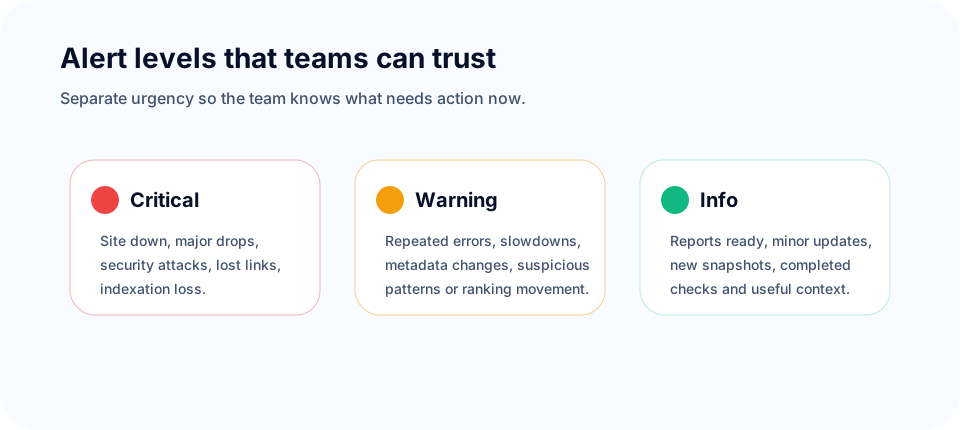
SEOMER separates alerts into three practical levels: critical, warning, and info. This makes the system easier to configure and easier to trust.
Critical alerts are for events that may require immediate reaction: website downtime, serious server errors, brute-force patterns, important pages becoming unavailable, major SERP drops, indexation loss, or a valuable backlink disappearing.
Warning alerts are for problems that should be reviewed soon: slower response time, repeated crawl errors, suspicious bot activity, metadata changes on important pages, competitor changes, or ranking movement that has not yet become a serious loss.
Info alerts are useful updates: completed checks, minor content changes, scheduled report availability, new competitor snapshots, or non-urgent monitoring events.
This structure gives teams control. An owner may want only critical alerts. A team lead may want critical and warning. A specialist may want detailed info alerts for the modules they manage.
Delivery channels: bell, email, Slack, and Telegram
Alerts are only useful if they reach people where they actually work. Inside SEOMER, alerts can appear in the platform notification bell, but critical signals can also be delivered outside the dashboard.
Typical delivery channels include:
- Notification bell for in-platform review and daily monitoring.
- Email for important issues, reports, and owner-level summaries.
- Slack for team workflows and fast discussion.
- Telegram for direct operational alerts and quick reaction.
The same event does not have to go everywhere. A critical uptime incident may go to Telegram, Slack, email, and the bell. A small informational update may only appear in the platform history.
SEOMER tip
Alert delivery should match urgency. Critical problems need immediate channels. Reports, summaries, and low-priority updates should not interrupt the whole team.
Workspace escalation: from specialist to owner
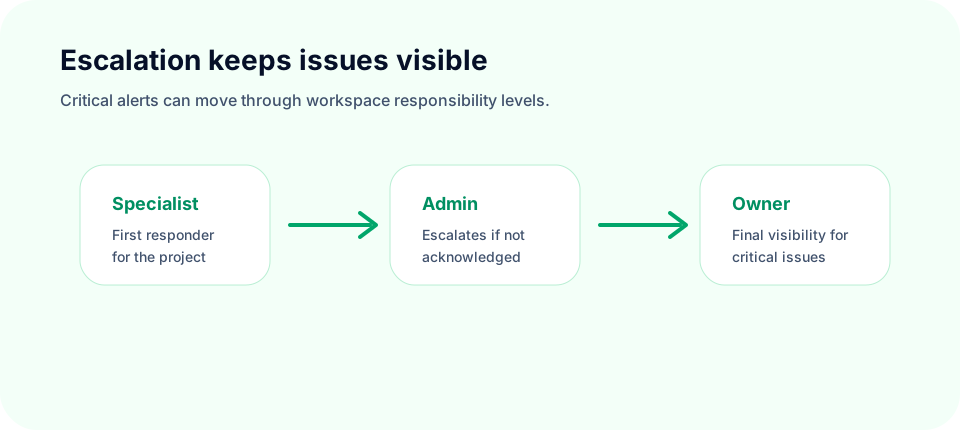
In a workspace, not every alert should go directly to the owner. A better workflow routes issues through responsibility levels.
For example, if a monitored site goes down, the first alert can go to the specialist or webmaster responsible for the project. If the issue is not acknowledged or resolved within a defined time, the alert can escalate to an administrator. If it still remains unresolved, the owner or team lead can be notified.
This makes alerts operational, not just informational. The system does not simply say “something happened.” It helps make sure the problem is seen by someone who can react.
What teams can alert on
Smart alerts become powerful when they can connect to different parts of the platform. SEOMER alerts can be configured around website monitoring, SEO signals, technical health, security, competitors, and reports.
Examples include:
- Uptime: site is down, unstable, or responding slowly.
- Logs and security: brute-force activity, suspicious IP behavior, fake bots, repeated 4xx/5xx patterns, or abnormal request chains.
- SEO monitoring: important title, description, canonical, indexability, or content changes.
- SERP monitoring: keyword positions drop or move outside configured thresholds.
- Backlinks: an important backlink disappears, changes status, or loses value.
- GSC context: search visibility changes, query movement, CTR problems, or page-level performance shifts.
- Competitor monitoring: competitor page changes, new sections, changed titles, or content updates.
- Reports: daily, weekly, or module-specific reports are ready for review.
This is where alerts become more than notifications. They become part of a decision system. A team lead can see the alert, understand the module, review the context, and assign the next action.
Decision support
The best alert does not only say what broke. It helps the team understand what should happen next: investigate logs, check crawler data, review SERP movement, restore a backlink, or assign a task.
Alert history and reporting
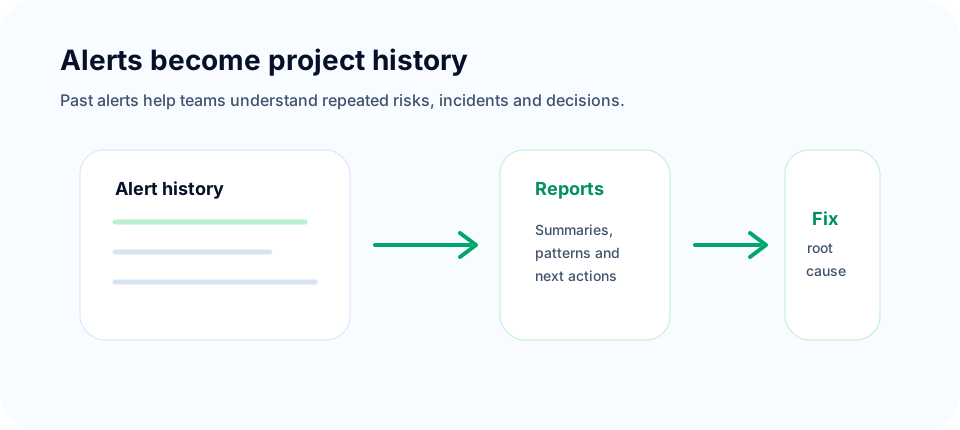
Alerts should not disappear after they are sent. They are valuable historical data. Teams need to review what happened last week, which projects had repeated problems, which modules triggered the most warnings, and which critical issues were resolved late.
SEOMER keeps alerts as part of the project history, making it possible to analyze past events and include them in reports. This helps owners and team leads understand not only the current state, but also the pattern of work and risk over time.
For example, if a site had three downtime alerts, several log/security warnings, and a SERP drop in the same period, the report can explain the bigger picture. The team does not have to reconstruct events manually.
Best practices for useful alerting
Start by defining what actually matters. A critical landing page deserves stricter alerts than an old archive page. A lost high-value backlink matters more than a temporary change on a weak URL. A security pattern deserves different routing than a content update.
Use severity levels carefully. Critical should mean critical. Warning should mean review soon. Info should mean useful context, not interruption.
Route alerts by responsibility. Webmasters, SEO specialists, link builders, content managers, admins, team leads, and owners do not need the same notification set. The goal is to send the right work to the right person.
Review alerts in reports. If the same type of alert repeats every week, it is not just an event. It is a process problem. Reports help turn repeated alerts into longer-term fixes.
Finally, keep alerts connected to action. A notification that does not help anyone decide what to do is only noise.
See how alerts fit into the bigger system in the SEO monitoring guide.
Alerts are useful only when they are reflected in a clear SEO report that helps owners, SEO teams and developers understand what action should happen next.
Conclusion
Smart alerts should reduce noise, not create more of it. They help teams stay focused, save time, and react to critical problems without manually checking every page, dashboard, report, and module all day.
SEOMER uses alerts as part of a wider website intelligence workflow: monitoring signals are collected, categorized by severity, delivered through the right channels, stored in history, and connected to reports and team action.
That is how alerts become useful: not as another stream of interruptions, but as a control layer that helps owners, team leads, and specialists keep websites healthy, visible, and protected.